Mobile SCA Support Page
Thank you for purchasing the Mobile SCA App for IOS. Please read the app's instructions below and contact us if you have any questions about how to use the app. Be sure to include the ecosystem, package and version you are trying to look up.
Mobile Software Composition Analysis App Instructions
This app allows you to look up various packages and their versions to see if there are any advisories against them. If there are, a link will be displayed for each advisory. Simply, click on the link and the official advisory will be displayed in the app. There will also be a link to load it in your web browser if you wish.
To use this app, first choose the ecosystem. The choices are Cargo, Maven, npm, NuGet, and PyPI. See the following languages used with each ecosystem in the table at the bottom of this page. Next, type in the exact package name. Please note that on some of these ecosystems, it has to have the correct case. After that, put in the exact version and click on scan, and you’ll get your results. Be advised, Maven uses groupID:artifactID instead of project.
Errors
Most errors are caused by using the wrong ecosystem or putting in the wrong package name or version. Remember, the package name and version have to be exact with the correct case for some ecosystems.
Frequently Asked Questions
[Q] Why no Swift support at this time?
[A] There is no current repository anywhere that tracks all Swift packages and their advisories or even most of them. To give Swift support would give a false sense of security since no advisory being found would most likely mean the repository isn’t tracking it and it may make you believe the package is safe when it isn’t. In the event that any repository starts tracking all known Swift packages and their advisories, the Swift ecosystem may be added to this app in the future.
Ecosystems and their Associated Languages
Cargo = Rust
Maven = Java, Kotlin, Scala and Groovy
npm = JavaScript and TypeScript
NuGet = .Net languages such as C#, F# and VB.Net
PyPi = Python
Some of Our Featured Products:
-
 Vendor:Fantasy Games Unlimited
Tyrannosaurus Wrecks
Regular price $9.99 USDSale price $9.99 USD Regular priceUnit price per -
 Vendor:Hydra Miniatures
Ugg Herbivore Spearmen (Pack of 3)
Regular price $13.50 USDSale price $13.50 USD Regular priceUnit price per -
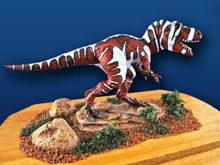 Vendor:Acheson Creations
Nanotyrannus (Dwarf Tyrant)
Regular price $11.95 USDSale price $11.95 USD Regular priceUnit price per -
 Vendor:Goodman Games
Dungeon Crawl Classics Role Playing Game (Softcover)
Regular price $29.99 USDSale price $29.99 USD Regular priceUnit price per -

 Vendor:Hydra Miniatures
Atomic Tank - The Robot Wars Starter Box
Regular price $120.00 USDSale price $120.00 USD Regular priceUnit price per -
 Vendor:Alternative Armies
28mm Snowmen Super Set
Regular price $69.99 USDSale price $69.99 USD Regular priceUnit price per


